名片掃描 · 離線辨識Business card scanner · Works offline

拍一張,
名片就
數位化。
Snap a card.
It's instantly
digital.

把桌上那疊名片,變成乾淨、可搜尋的通訊錄。姓名、公司、職稱、電話自動辨識歸檔,全程在你的裝置上完成——免帳號、不上傳,飛航模式也能用。 Turn the stack of cards on your desk into a clean, searchable address book. Names, companies, titles and phone numbers are recognized and filed automatically — all on your device. No account, no upload, works in Airplane Mode.

下載Download on theApp Store 免費下載 · 無需註冊帳號 · iPhone 與 iPadFree download · No account · iPhone & iPad
辨識需要網路嗎?Needs internet?
完全不用Not at all
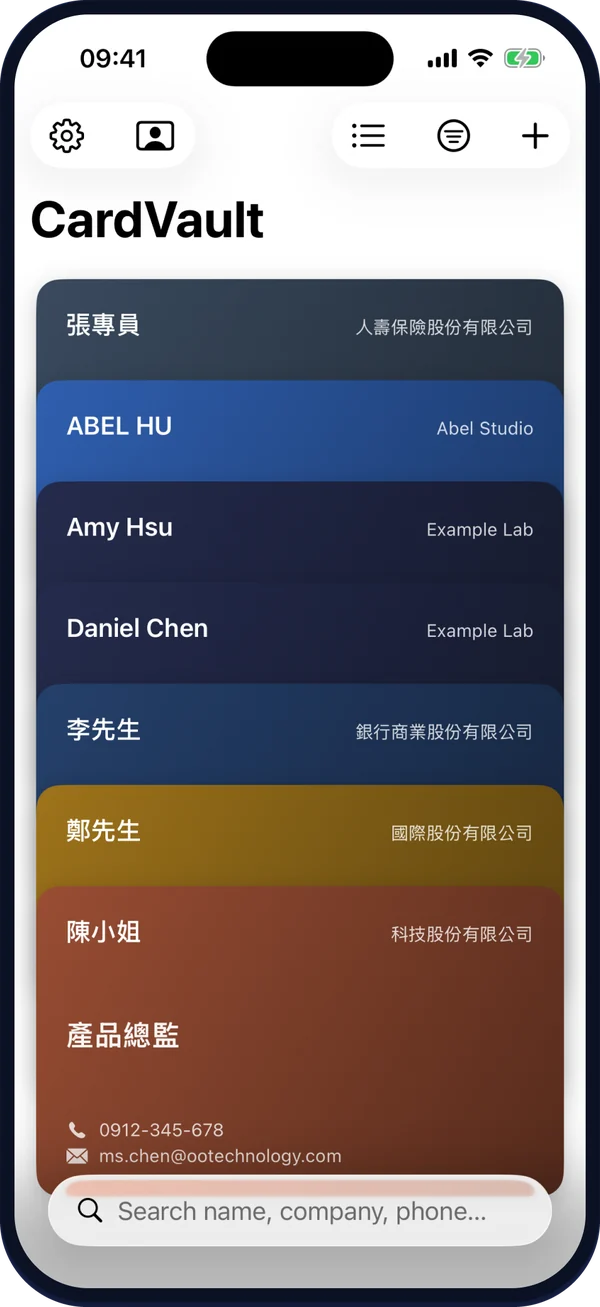
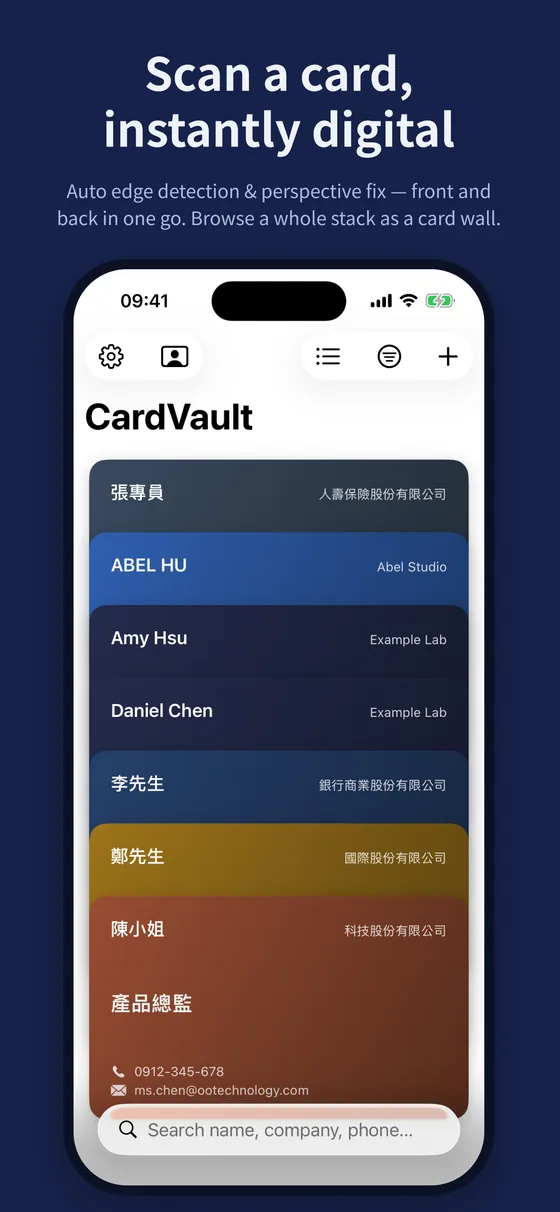
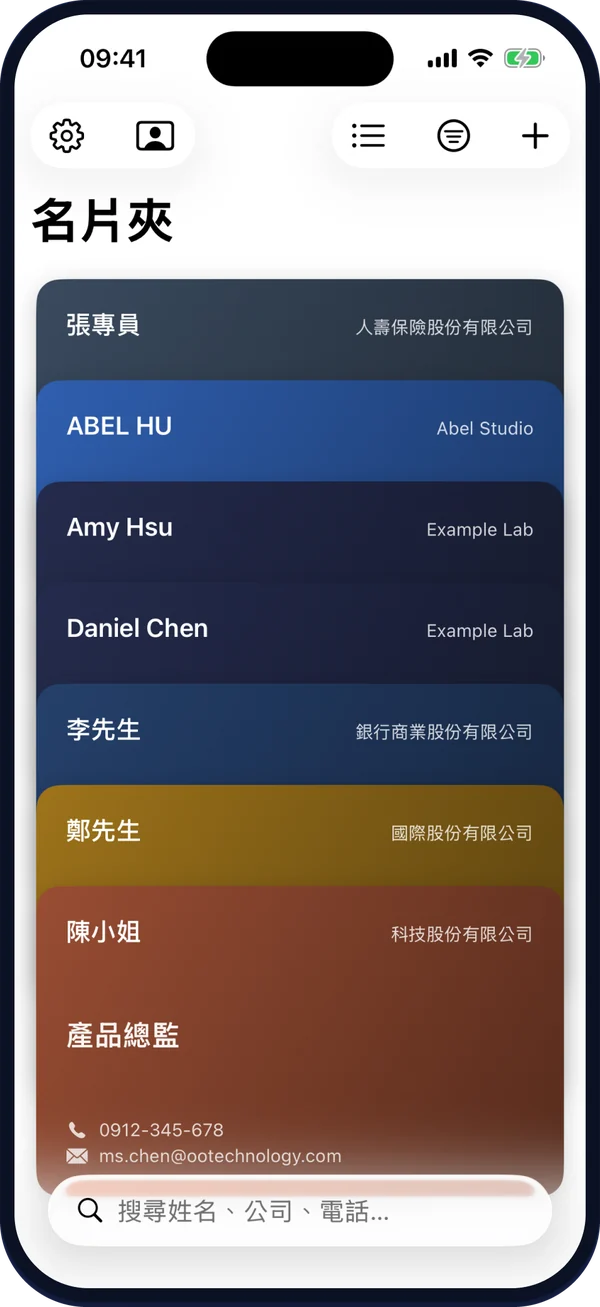
名片夾的名片牆畫面:每張名片依公司配色,疊成 Wallet 風格的卡牆 CardVault's card wall: each card colored by company, stacked Wallet-style
掃描建檔
Scan & file

對準名片,剩下的交給它。Point at a card. It handles the rest.

自動偵測邊框、校正透視,正反面一次保存。文字辨識在你的裝置上完成;在支援 Apple Intelligence 的裝置上,還會用裝置端 AI 判斷姓名、公司與職稱,辨識更準確。 Edges are detected and perspective corrected, front and back saved together. Text recognition runs on your device — and on devices that support Apple Intelligence, on-device AI picks out names, companies and titles even more accurately.

1拍名片Scan the card用相機掃描,或從相簿匯入;正反面可一起存With the camera or from your photos — front and back together
2自動辨識欄位Fields fill themselves姓名、公司、職稱、電話(含分機)、Email、網址、地址、LINE ID、統編Name, company, title, phone (with extension), email, website, address, LINE ID
3確認後存檔Check and save每一欄都能改;也能直接加入 iPhone 聯絡人Edit any field, or add it straight to iPhone Contacts
功能
Features

從一張名片,到整本人脈。From one card to your whole network.

掃描只是開始。整理、搜尋、交換、備份,名片夾用 iOS 原生的方式幫你顧好每一張。Scanning is just the start. Organize, search, exchange and back up — CardVault looks after every card, the native iOS way.

標籤、收藏、典藏Tags, favorites, archive

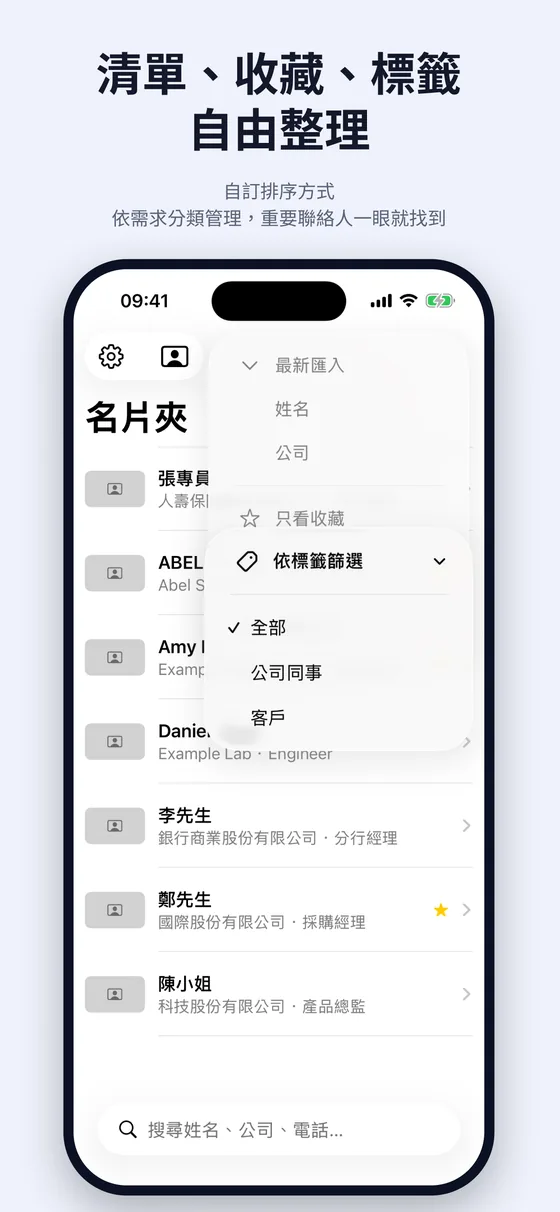
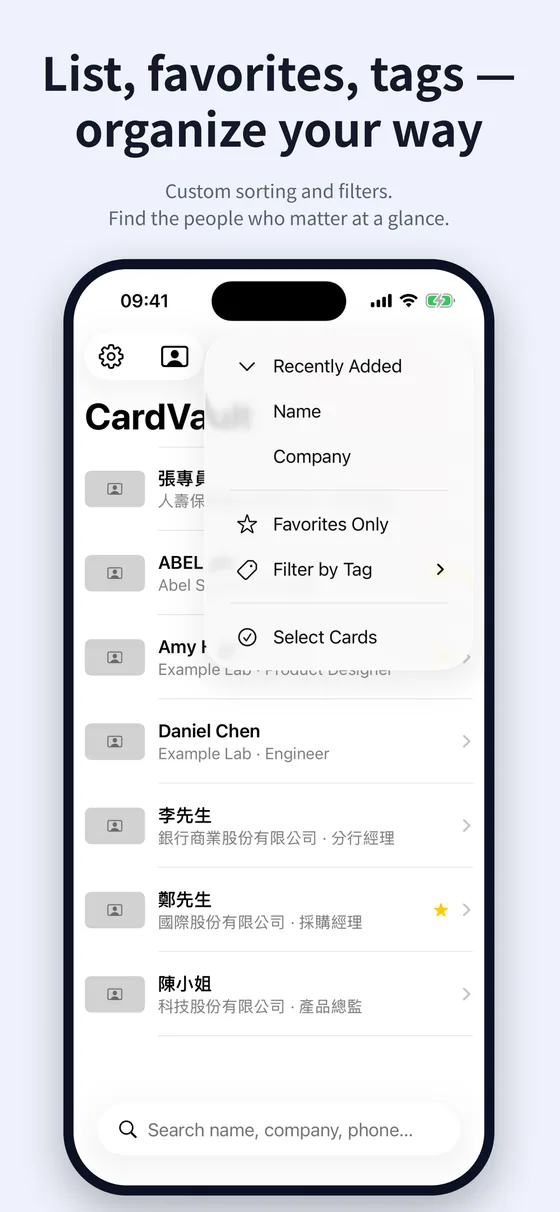
依日期、姓名或公司排序,用標籤分類。用不到的名片可以典藏、不必刪除;長按就能多選,一次整理好幾張。Sort by date, name or company and group with tags. Archive cards you no longer need instead of deleting them, and long-press to tidy up several at once.

系統搜尋找得到人Find anyone from Search

不用打開 App,從 iPhone 的系統搜尋(Spotlight)就能找到任何人。可用清單瀏覽,或 Wallet 風格的名片牆。Find anyone straight from iPhone system search (Spotlight), without opening the app. Browse as a list or a Wallet-style card wall.

我的名片 · QR 交換My Card · QR exchange

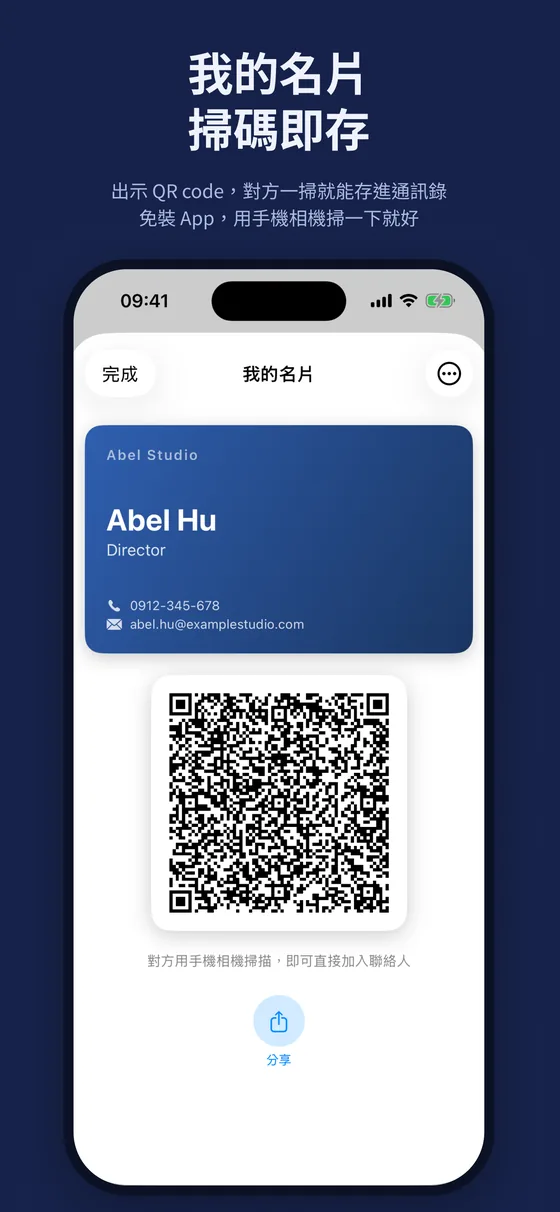
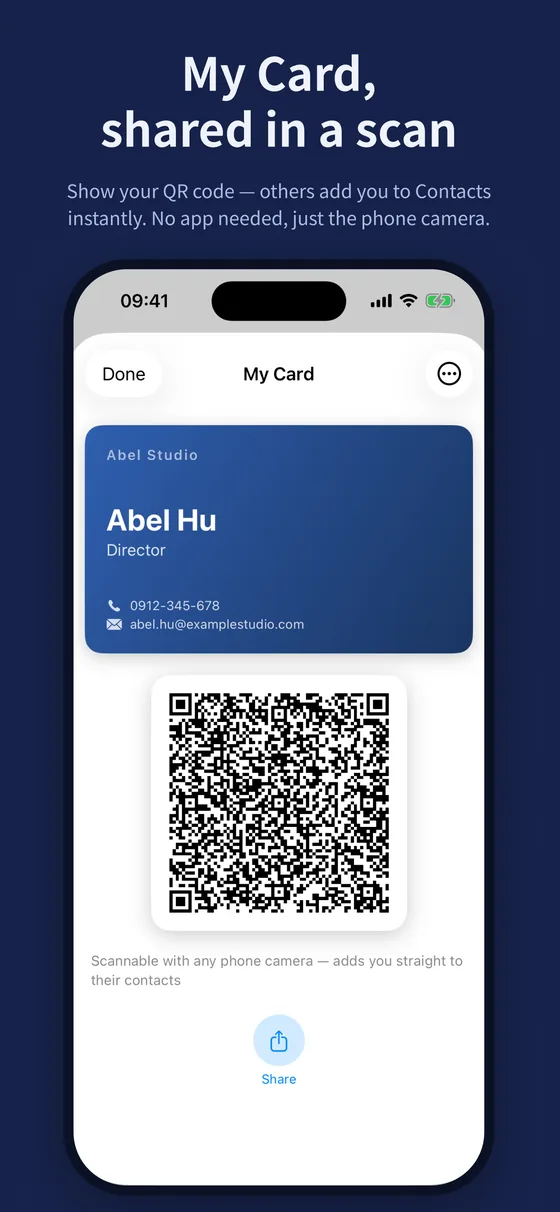
建立自己的數位名片,出示 QR code,對方用手機相機一掃就把你加進聯絡人,不用裝 App。Create your own digital card and show its QR code — anyone can scan it with their phone camera to add you to their contacts, no app needed.

卡面樣式全免費Card styles, all free

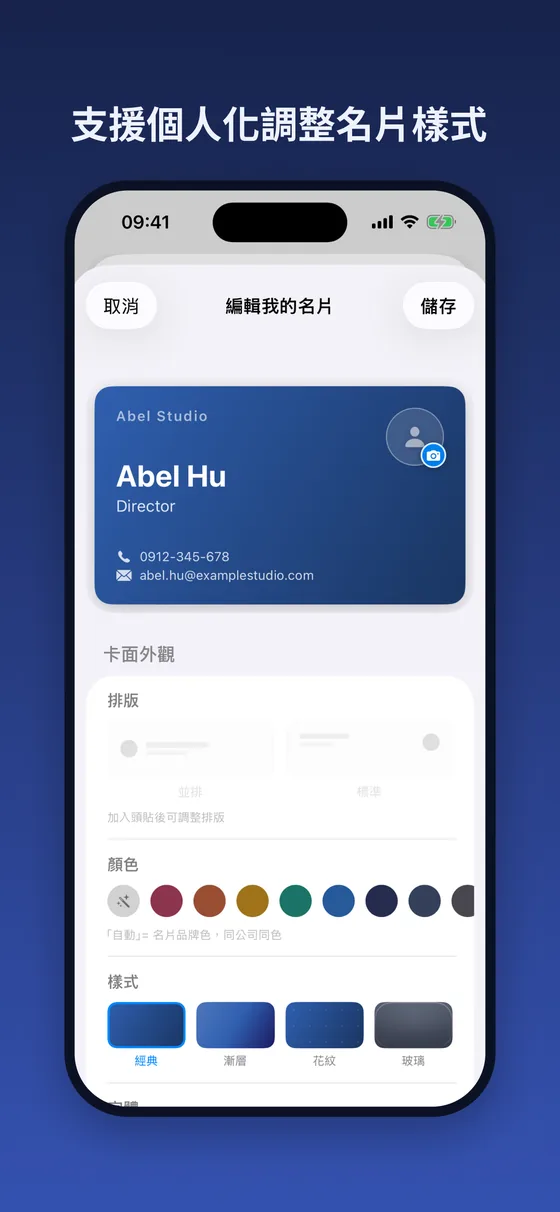
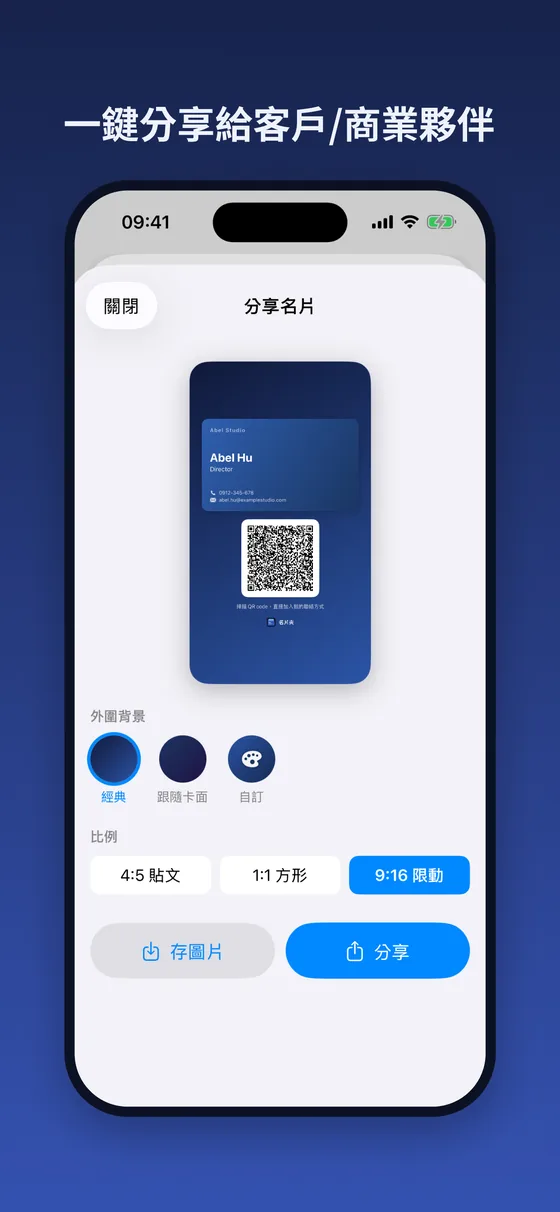
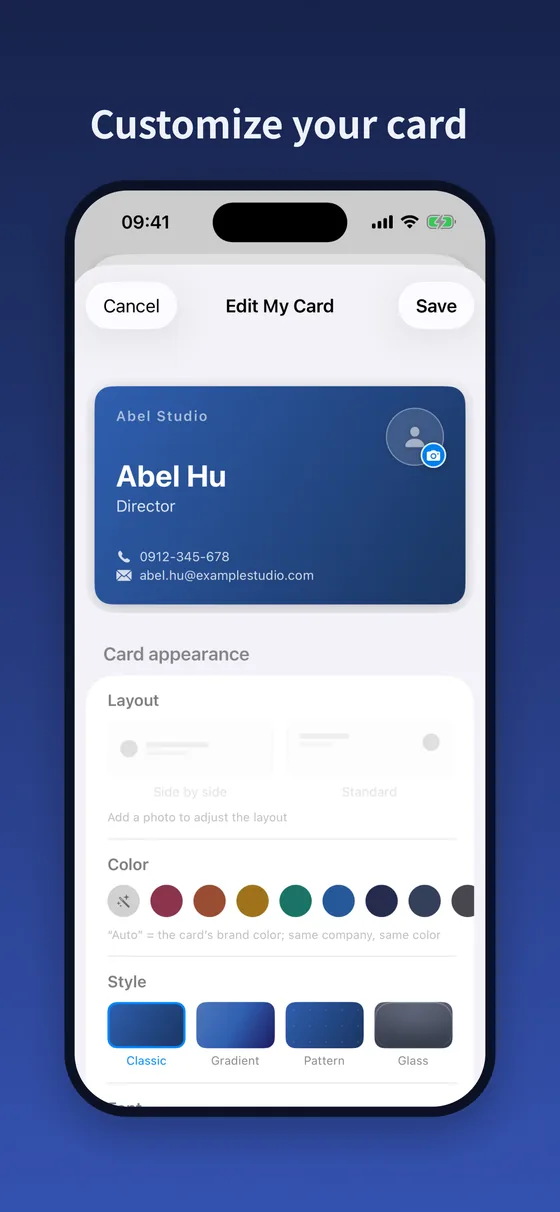
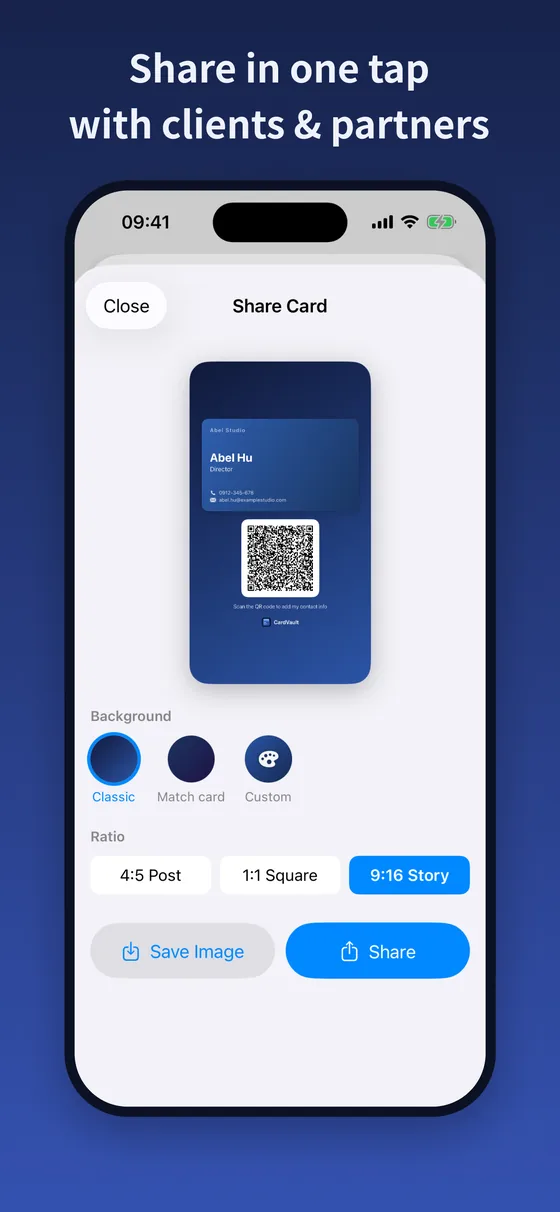
經典、漸層、花紋、玻璃四種樣式,字體、配色、大頭照與排版隨你調;一鍵做成社群分享圖,可調背景與比例。Classic, Gradient, Pattern and Glass styles, plus your own font, colors, photo and layout. Turn it into a social-ready image with adjustable background and ratio.

iCloud 同步 · 無需帳號iCloud sync · No account

選用的 iCloud 同步,只把名片存到你自己的私人 iCloud,在 iPhone 與 iPad 之間同步;設定頁隨時看得到同步狀態。Optional iCloud sync keeps cards only in your own private iCloud, synced between your iPhone and iPad — with sync status always visible in Settings.

通訊錄與匯出Contacts & export

把名片加入 iPhone 聯絡人——只寫入你選的那一張。隨時匯出完整的 vCard/CSV 備份,也能匯回來。Add a card to iPhone Contacts — only the one you choose. Export a complete vCard / CSV backup anytime, and import it back.

畫面一覽
Screenshots

原生質感,淺色深色都好看。Native design, made for iPhone and iPad.

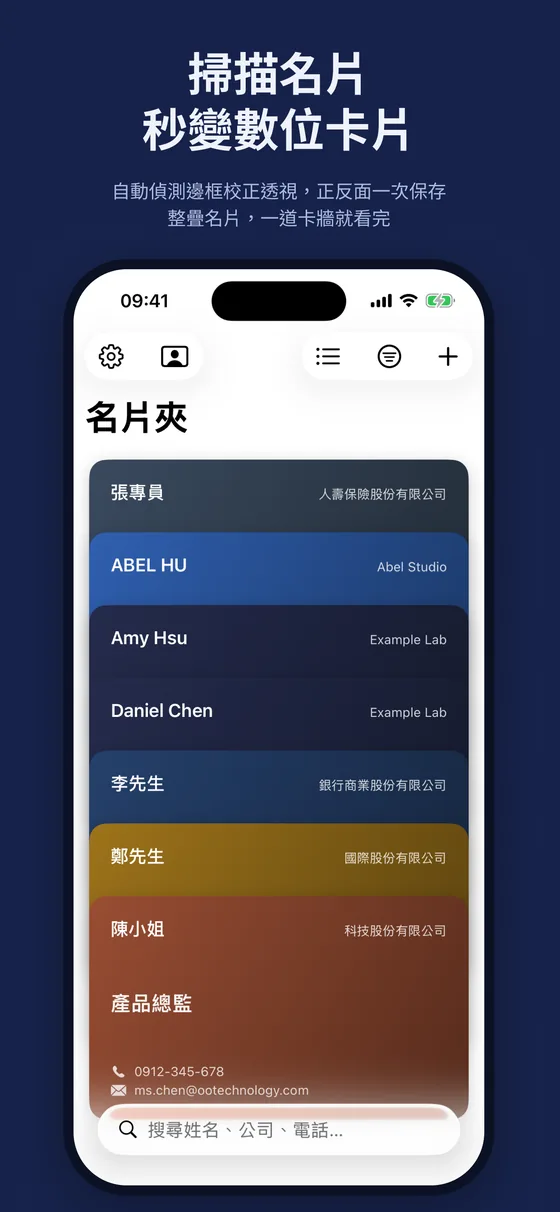
掃描名片,秒變數位卡片
清單、收藏、標籤,自由整理
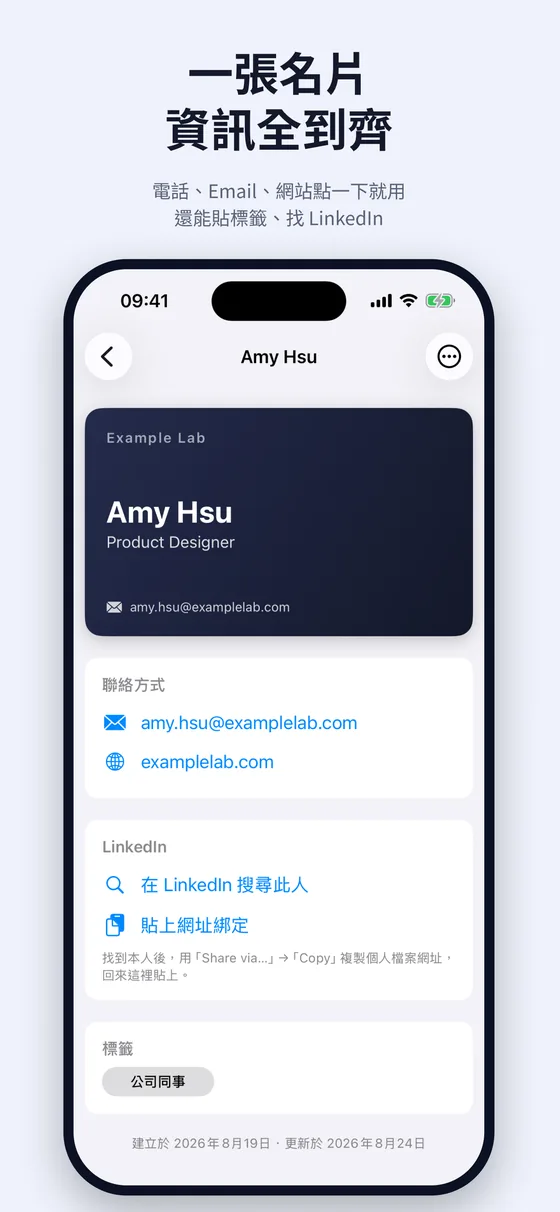
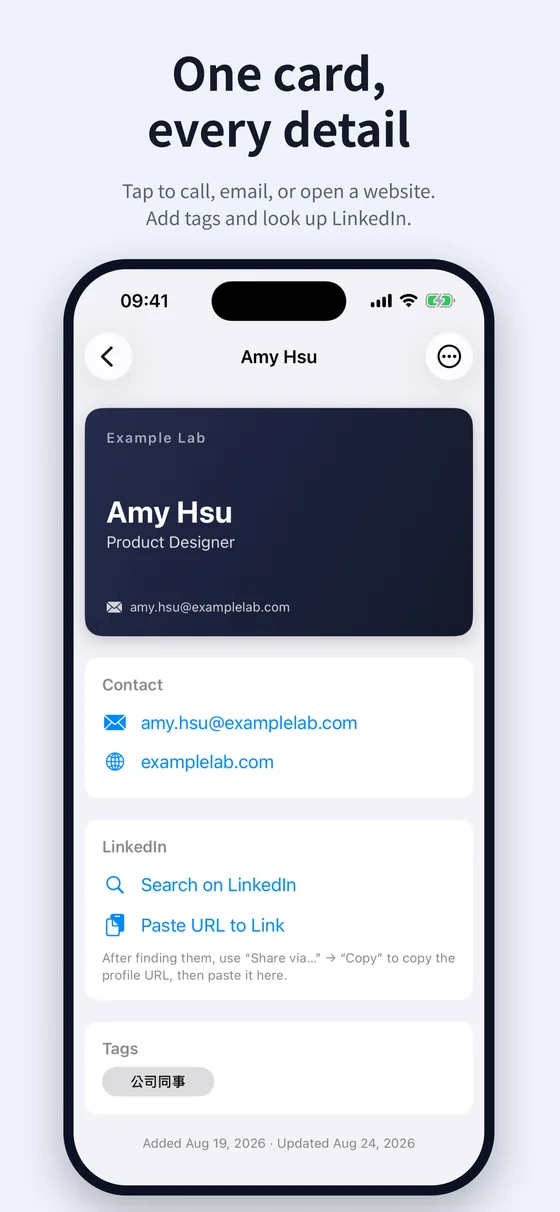
一張名片,資訊全到齊
我的名片,掃碼即存
支援個人化調整名片樣式
一鍵分享給客戶與商業夥伴
Scan a card and it's instantly digital
Organize with lists, favorites and tags
Every detail of a card in one place
My Card with a QR code to scan
Customize your card style
Share your card in one tap

← 左右滑動看更多 →← Swipe for more →

定價
Pricing

免費開始,付一次就好。Start free. Pay once, if ever.

所有功能免費版都有。名片超過 15 張時,一次買斷 Pro 解鎖無限——不訂閱。Every feature is in the free plan. When you pass 15 cards, a one-time Pro purchase unlocks unlimited — no subscription.

免費
Free
NT$0

下載即用,無需帳號Download and go, no account

  • 最多 15 張名片Up to 15 cards
  • 掃描、離線辨識、裝置端 AIScanning, offline recognition, on-device AI
  • 我的名片、全部卡面樣式My Card and every card style
  • iCloud 同步、匯入匯出備份iCloud sync, backup import & export
免費下載Download free
Pro
CardVault Pro
NT$150一次買斷one-time

付一次、永久有效 · 沒有循環扣款About US$5 · Pay once, yours forever

  • 無限名片張數,想收多少都行Unlimited cards — keep as many as you like
  • 免費版的全部功能Everything in Free
  • 不是訂閱,不會每月扣款Not a subscription — no monthly charges
  • 綁定 Apple ID,換機可恢復購買Tied to your Apple ID — restore on a new device
取得 AppGet the app

購買透過 App Store 處理、綁定你的 Apple ID,不需另外註冊。超過 15 張後,既有名片照常讀取與匯出,只是要解鎖 Pro 才能再新增。Purchases are handled by the App Store and tied to your Apple ID — no separate account. Past 15 cards, your existing cards stay readable and exportable; Pro is only needed to add more.

隱私優先
Privacy first

你的人脈,只屬於你。Your network stays yours.

名片夾沒有帳號、沒有伺服器。你的名片只存在自己的裝置,和你選擇開啟的私人 iCloud。詳見隱私權政策。 CardVault has no accounts and no servers. Your cards live only on your device — and in your own private iCloud, if you turn sync on. See the Privacy Policy.

全程在裝置上All on-device 掃描、文字辨識與 AI 判斷都在你的裝置上完成,飛航模式也能用。Scanning, text recognition and AI all run on your device — even in Airplane Mode.
不用註冊帳號No account required 不收集姓名、Email 或任何個人資料,打開就能掃。No name, email or personal data collected. Just open and scan.
無追蹤、無分析No tracking, no analytics 沒有任何第三方追蹤、分析或廣告,開發者看不到你的名片。No third-party tracking, analytics or ads. The developer can't see your cards.

常見問題

Questions

掃描名片需要連網路嗎?Does scanning need an internet connection?
不需要。文字辨識與欄位判斷全部在你的裝置上離線完成,飛航模式也能用。在支援 Apple Intelligence 的裝置上,會改用裝置端 AI 判斷姓名、公司與職稱,同樣不連網、資料不離開手機。No. Text recognition and field detection run entirely offline on your device — even in Airplane Mode. On devices that support Apple Intelligence, on-device AI identifies names, companies and titles; it doesn't go online either, and your data never leaves your phone.
需要註冊帳號嗎?Do I need an account?
不用。沒有帳號、不必填 Email,下載打開就能掃。想在 iPhone 與 iPad 之間同步,開啟 iCloud 同步即可,用的是你自己的 Apple ID。No. There's no account and no email to fill in — just download and scan. To sync between your iPhone and iPad, turn on iCloud sync; it uses your own Apple ID.
我的名片資料存在哪裡?Where is my card data stored?
預設只存在你的裝置上。開啟 iCloud 同步後,會另存一份到你自己的私人 iCloud——仍然不是開發者的伺服器,開發者無法讀取。詳見隱私權政策。On your device only, by default. With iCloud sync on, a copy is kept in your own private iCloud — still not a developer server, and the developer can't read it. See the Privacy Policy.
名片夾免費嗎?Pro 是訂閱嗎?Is CardVault free? Is Pro a subscription?
免費下載,所有功能都能用,最多可存 15 張名片。想收更多時,Pro 一次買斷 NT$150 解鎖無限張數——不是訂閱,不會每月扣款。詳見上方定價。It's free to download with every feature included, for up to 15 cards. To keep more, Pro is a one-time purchase (NT$150, about US$5) that unlocks unlimited cards — not a subscription. See Pricing above.

看所有常見問題與支援 →All questions & support →

把那疊名片,收進口袋。Put that stack of cards in your pocket.

免費下載,無需註冊。從第一張名片開始。Free to download, no account needed. Start with a single card.